
- Last Updated

Character Information
 STOVE Sign-up
 STOVE Login
 Device
 Game Entry
 Payment
 Other Settings
 Cancel Game
 Withdrawal
Service Overview
Users can use the character they play in the game across the STOVE community and customer support as well. They act under their game nickname in the community, and when contacting customer support, their character information is filled in automatically so they don't have to enter it each time. This convenience is available once the game studio passes the character information to STOVE.
| Item | Details |
|---|---|
| Information to be integrated | Character nickname, world (server) information |
| Supported platforms | Multi-platform (Mobile / PC) |
| Services enabled upon integration | Community game nickname display, customer support character auto-selection, Partners character information lookup |
Key Concepts
| Term | Description | Notes |
|---|---|---|
| Character | A game character belonging to the user's account | Registers the nickname and world information to STOVE |
| World | The unit that distinguishes a game's servers and channels | Pre-registered in Partners with world information (world_id, world name) (e.g., world_kr) |
| API token | A server-to-server authentication token for calling the character API | Issued in advance through the publishing technical contact |
Usage Scenarios
Displaying the Community Nickname
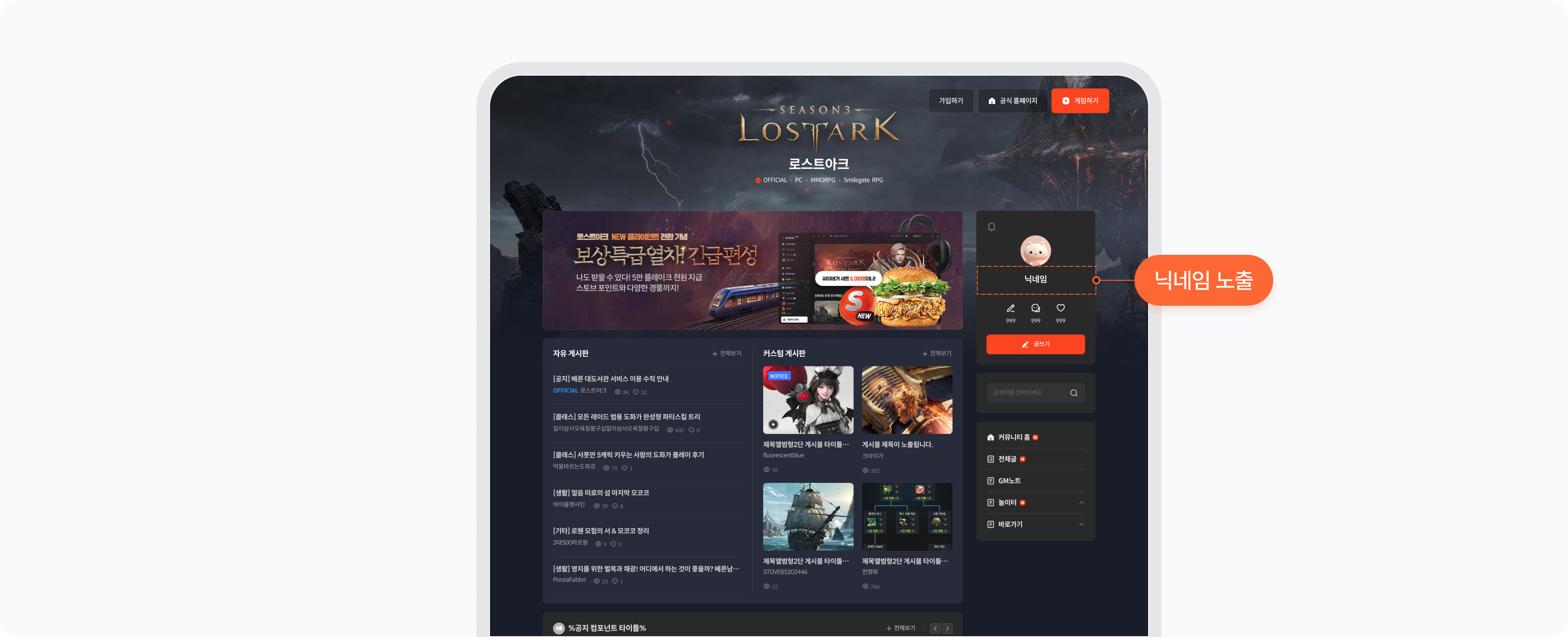
In the STOVE community, users can act under their game character nickname instead of their default STOVE ID. Once the game studio passes the character information, the nickname is displayed right away.
| Item | Details |
|---|---|
| Displayed information | Game character nickname |
| Display locations | Mobile in-game community, PC web, STOVE app, online timeline |
| Required integration | STOVE character register/update API |
| Call timing | When the character nickname is registered or changed |
| Display when not integrated | The STOVE platform nickname is shown (if unset, an auto-issued ID such as STOVE91136027 is the default) |
Customer Support Character Integration
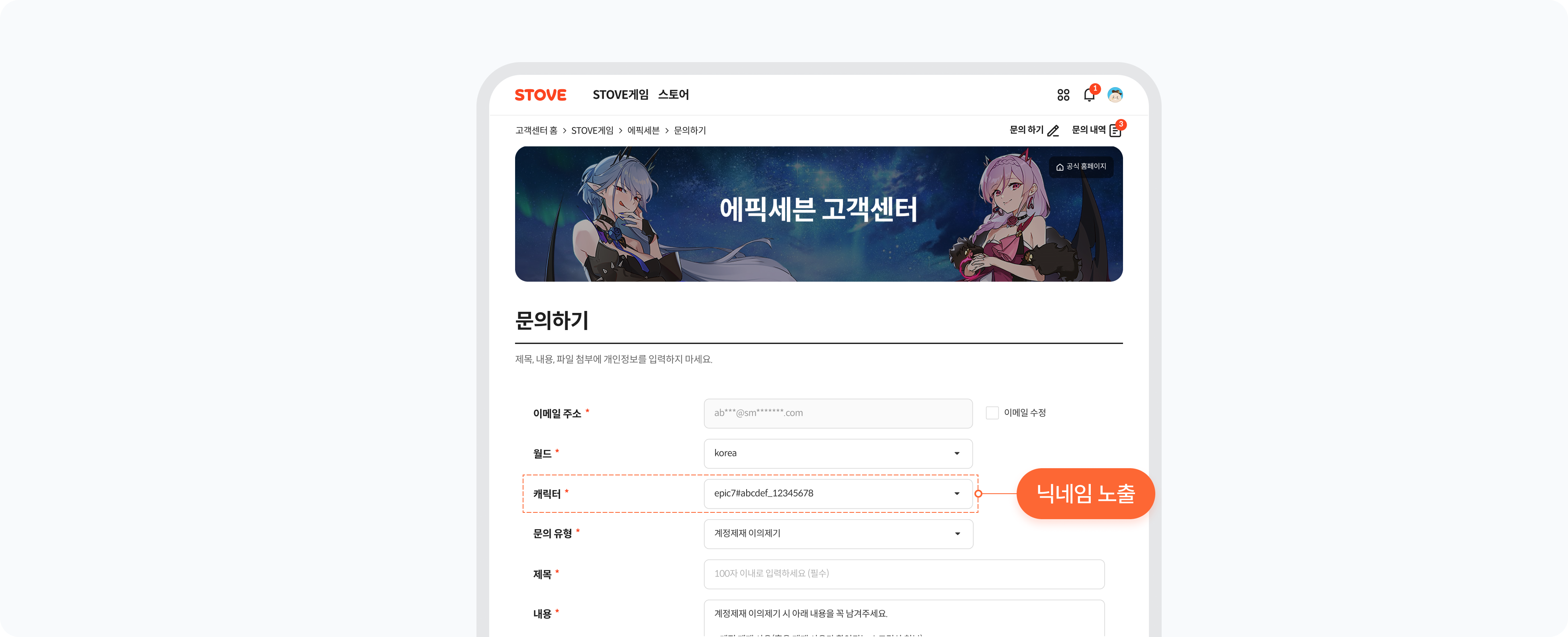
When a user makes an inquiry from the in-game customer support, their character information is shown automatically in a dropdown. They don't have to enter the character name and server manually, and the operations team can also check the inquirer's character information directly in Partners.
| Target | Location | Details |
|---|---|---|
| User | Customer Support > Contact Us > Game Info | The world (server) and character selection dropdowns are enabled automatically When not integrated, they appear blank — the user must enter them manually |
| Operations team (Partners) | Partners > CS > Member Management > Member Info Management | When an inquiry is received, the character number, nickname, and world information can be viewed When not integrated, character information is not shown |
Keep this in mind
If world information does not load in a certain Partners menu, check the world access permission of your Partners account.
You can request full world permission under Partners > Account > Permission Management > Field Permissions.
Integration Overview
Overall Implementation Flow
| Step | Owner · Activity | Details |
|---|---|---|
| Step 1 | Game studio planning team Decide the scope |
Decide the scope of services to use, the world configuration, and whether to use the nickname duplicate-check feature, then pass them to the publishing technical contact |
| Step 2 | Game studio planning team · publishing contact Preparation |
1) Request API Access Token issuance (publishing technical contact) 2) Register world information (world_id, world name) in Partners |
| Step 3 | Game studio development team Server integration |
Implement the STOVE API call logic to synchronize character information |
| Step 4 | Game studio planning team Service configuration |
Verify the Partners CS character-lookup permission |
| Step 5 | Game studio QA team Verify and deploy |
Check required and recommended items with the checklist, then verify and deploy in the order Sandbox → Live |
Decisions to Make Before Starting
Before starting character integration, please decide the items below internally within the game team first.
| Decision item | Options and details | After deciding |
|---|---|---|
| ① Decide the scope of services to use | Choose which services to enable via character integration Community: display the game nickname Customer support: auto-display the character dropdown at inquiry |
Finalize the list of services to use and pass it to the development team |
| ② Decide the world (server) configuration | Define world information (world_id, world name) to match the game's server and channel structure world_id cannot contain spaces Must be registered separately by service country and environment (Sandbox/Live) e.g., world_kr, world_global, world_jp |
Finalize the world_id list and register it directly in Partners |
| ③ Decide whether to use the nickname duplicate-check feature | Decide whether to use the nickname duplicate-check feature (it operates when a nickname is registered or changed). ❶ No duplicate check. (default) ❷ No duplicate nicknames within the game ❸ No duplicates allowed within a world (duplicate nicknames within the game are allowed) * By default, the STOVE platform does not perform character nickname duplicate checks. We recommend handling nickname duplicate checks in the game directly, and using the platform's duplicate-check feature only when it is difficult to handle in the game. |
After deciding whether to use the nickname duplicate-check feature, pass it to the publishing technical contact (no need to pass it if using the default). |
Roles and Responsibilities
Distinguishing between the areas STOVE handles and the areas the game studio implements directly for the character integration service makes communication with the development team easier.
 What the STOVE platform provides
 What the game studio must implement
Environment Guide
Integration testing must always be done first in the Sandbox environment, and applied to the Live environment only after verification is complete.
| Category | Sandbox | Live (Production) |
|---|---|---|
| API Host | https://api.gate8.com | https://api.onstove.com |
| Web / Platform | https://www.gate8.com | https://www.onstove.com |
| Purpose | For development and QA testing only. No impact on real users | The actual production environment. Deployed after QA is complete |
Checklist
| Category | Role | Check item |
|---|---|---|
| Required | Game server | API Access Token issued
|
| Required | Game server | Verify the character registration API works correctly
|
| Required | Game server | Verify the character update and delete APIs work correctly
|
| Required | Game server | Verify handling of API call failure cases
|
| Required | Game client | Partners world_id registration completed
|