
- Last Updated

Using CAPTCHA
 STOVE Sign-up
 STOVE Login
 Device
 Game Entry
 Payment
 Other Settings
 Cancel Game
 Withdrawal
Service Overview
Automation tools such as bots and macros undermine the fairness of a game and negatively affect the experience of legitimate users. To prevent this, STOVE provides CAPTCHA. CAPTCHA is a feature that distinguishes humans from automation tools and filters out abnormal access.
STOVE CAPTCHA comes in two types: platform CAPTCHA and in-game CAPTCHA. Platform CAPTCHA applies to STOVE platform paths such as sign-up and login, and is managed directly by STOVE.
In-game CAPTCHA applies to in-game paths such as game server entry or in-game trading, and is integrated directly by the game studio.
Keep this in mind
Since STOVE manages the display conditions for platform CAPTCHA directly, the game studio has nothing to integrate. Therefore, this document only covers in-game CAPTCHA integration, which the game studio applies directly.
Key Concepts
| Term | Description |
|---|---|
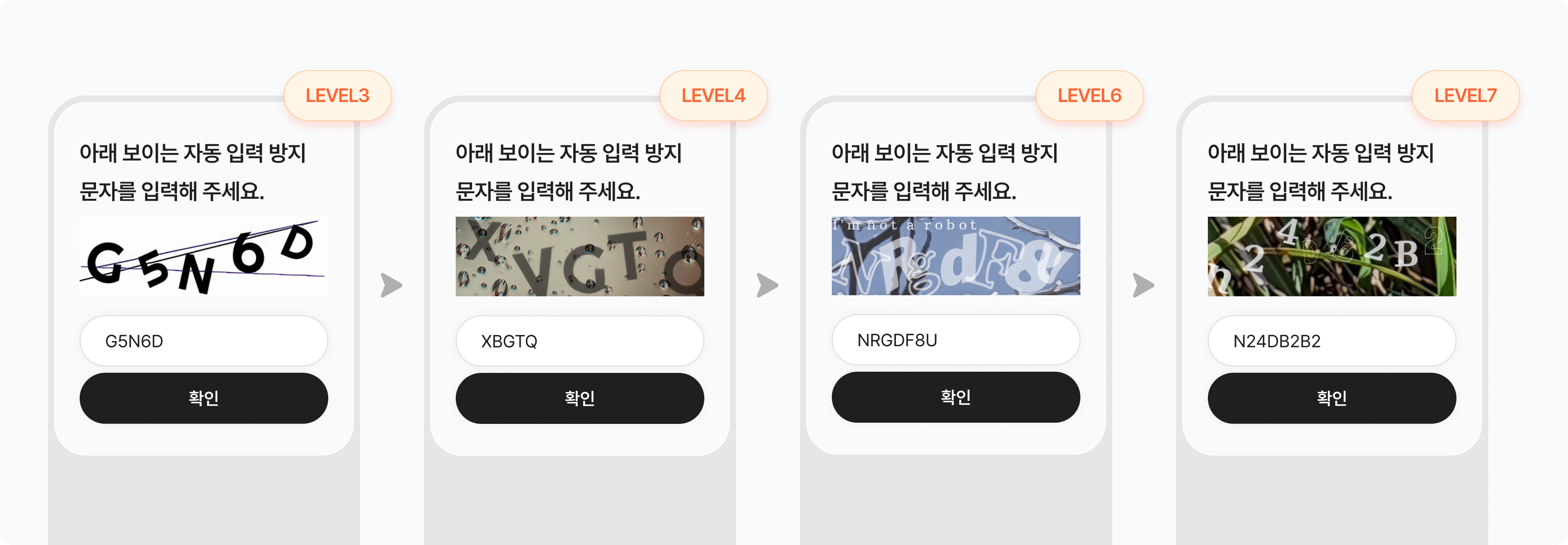
| CAPTCHA level | CAPTCHA difficulty. The level range by type is as follows: ㅁ Static image (PNG, captcha_type: image): 1–7 (1 = lowest, 7 = highest) ㅁ Animated image (GIF, captcha_type: animated_image): 101–107 (101 = lowest, 107 = highest) |
| Display period | The operating period during which the CAPTCHA is shown. Set to always-on or a specific span |
| Display frequency | How often the CAPTCHA is shown again to the same user. Every access, once per period, etc. |
| Display condition | When and to whom the CAPTCHA is shown. All users, or users exceeding the threshold |
| Captcha Key | An identifier issued each time a CAPTCHA is shown. Passed together with the input value at verification |
| Case sensitivity | Verification is case-insensitive |
Keep this in mind
Levels 1–7 are static image (PNG) CAPTCHAs, and 101–107 are animated (GIF) CAPTCHAs. Please choose within the range that matches the format.
Higher levels are more secure but may lower the pass rate for legitimate users. Verification is case-insensitive, so you may standardize input to one case for convenience.
Usage Scenarios
Verifying at Game Start
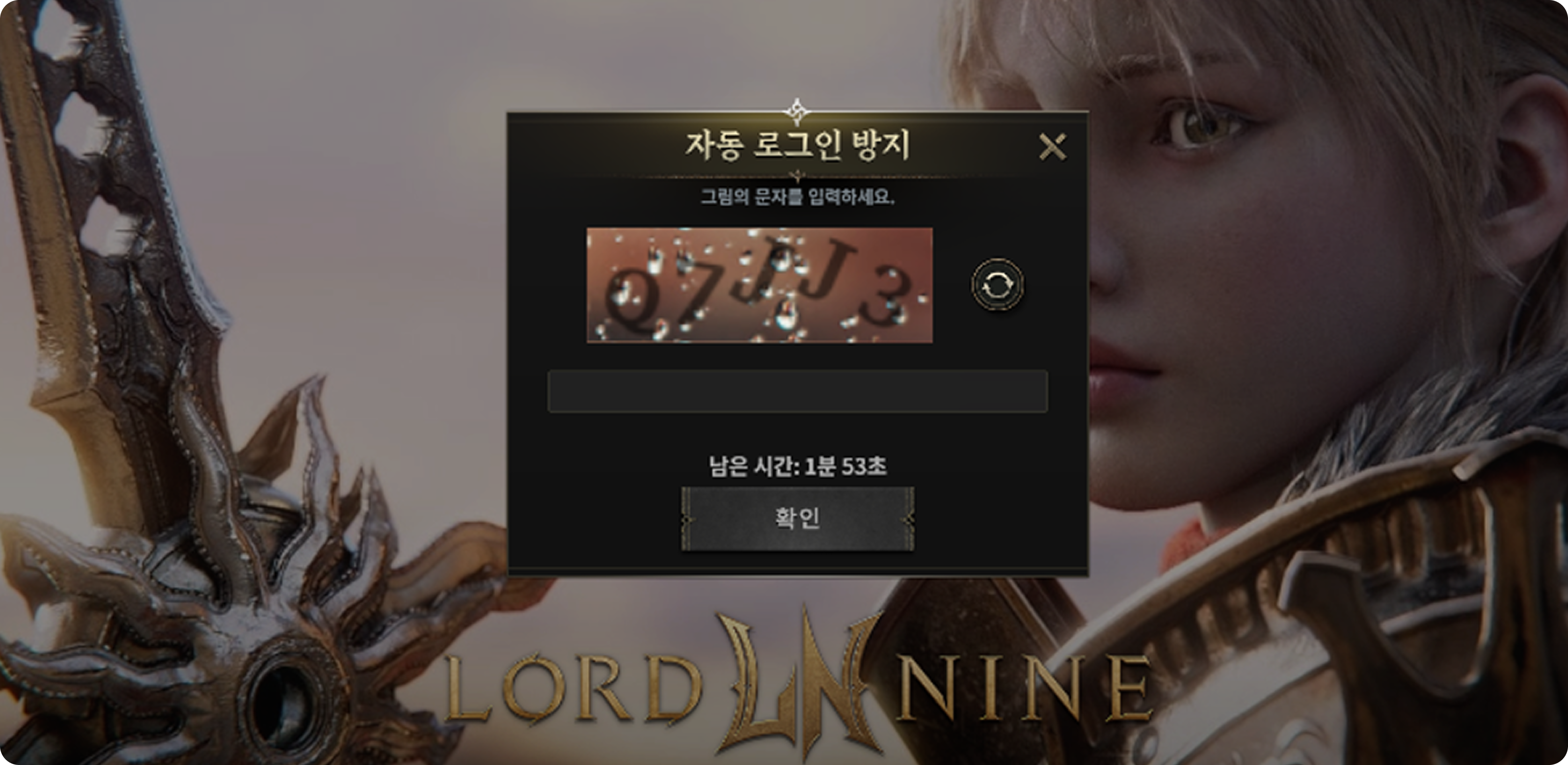
When a user connects to the game server, a CAPTCHA verification screen appears to confirm that they are a human and not a bot. It usually appears at the point of selecting the game server, and once passed, it does not appear again for a set period, making it convenient to use.
| Step | Actor | Details |
|---|---|---|
| 1 | User → game client | Select the game server after login |
| 2 | Game server (game studio) | Check the user's last CAPTCHA pass time If the user is new or the policy period (e.g., 1 week) has passed since the last pass, request CAPTCHA resources |
| 3 | STOVE CAPTCHA server | Return the CAPTCHA image and Captcha Key to the game server |
| 4 | Game client (game studio) | Show the CAPTCHA layer → user input → pass the input value and Captcha Key to the game server The CAPTCHA display UI is designed and implemented by the game studio directly |
| 5 | Game server → STOVE CAPTCHA server | Call the CAPTCHA verification API → return the result |
| 6 | Game server (game studio) | On pass, allow game entry and update the pass time On failure, request the CAPTCHA again |
Keep this in mind
Applying a policy that does not re-show the CAPTCHA for a set period after a pass (e.g., 1 week) maintains the bot-blocking effect while reducing inconvenience for legitimate users.
STOVE does not manage pass history, so the last pass time per user must be stored on the game server directly.
Verifying During Specific Actions
If actions such as item trading, acquiring currency, or entering hunting grounds are repeated in a short time, a CAPTCHA verification is required to confirm the user is human. Because the threshold is based on the average action frequency of legitimate users, it rarely appears during normal play.
| Step | Actor | Details |
|---|---|---|
| 1 | User → game client | Perform a predefined specific action such as registering on the marketplace, acquiring currency, or hunting monsters |
| 2 | Game server (game studio) | Count whether the same action occurred N or more times within a short time (e.g., 10 minutes) If below the threshold, the action proceeds without a CAPTCHA |
| 3 | Game server → STOVE CAPTCHA server | Request CAPTCHA resources when the threshold is exceeded |
| 4 | Game client (game studio) | Show the CAPTCHA → user input → verify The CAPTCHA display UI is designed and implemented by the game studio directly |
| 5 | Game server (game studio) | On pass, reset the action count and proceed with the next action On failure, block that action |
Keep this in mind
It is best to set the threshold at the 95–99% mark by analyzing the average action frequency of legitimate users.
If it is too low, legitimate users encounter CAPTCHA often; if too high, the macro detection rate drops.
The action-count and threshold logic are all implemented on the game server, while STOVE only handles CAPTCHA resource issuance and verification.
Integration Overview
Overall Implementation Flow
From the planning team's policy decisions to QA verification and deployment, integration proceeds in the following order.
| Step | Activity | Details |
|---|---|---|
| 1 | Decide the policy Game studio planning team |
Decide the blocking purpose, display policy (level, frequency, condition), and operations-tool management scope, then pass them to the development team |
| 2 | Issue the API Access Token Game studio development team + publishing contact |
Request API Access Token issuance from the publishing technical contact. Issued separately for the Live and Sandbox environments |
| 3 | Integrate the game server Game studio development team |
Integrate the CAPTCHA resource request and verification APIs, and implement the display-condition logic and pass-history management logic |
| 4 | Integrate the game client Game studio development team |
Implement CAPTCHA UI display, input handling, and branching by verification result (the UI is designed by the game studio directly) |
| 5 | Verify and deploy Game studio QA team |
Check with the checklist, then verify and deploy in the order Sandbox → Live |
Decisions to Make Before Starting
Before integrating in-game CAPTCHA, please decide the items below internally within the game team first.
| Decision item | Options and details | After deciding |
|---|---|---|
| ① Blocking purpose | Block bot accounts from entering the game: applied to prevent large numbers of bot accounts from entering the game simultaneously Detect economy-system abuse and macros: identify users running macros for repeated actions such as trading or acquiring currency |
The purpose determines when the CAPTCHA appears When applying multiple purposes, a separate policy must be designed for each timing |
| ② Display policy | CAPTCHA level: choose within the range by format — static image (PNG) 1–7 / animated image (GIF) 101–107 (a low level is recommended for normal paths) Display frequency: every access / once per period / not shown for N days after a pass, etc. Display condition: all users, or users exceeding the threshold |
After deciding, reflect it in the game server's policy logic Managing it through an operations tool is recommended so it can be adjusted during operation |
| ③ Operations-tool management scope | Manage the policy values in the game studio's own operations tool so that the CAPTCHA level, threshold, and display conditions can be adjusted without a client patch Enables quick response to changes in bot attack patterns |
Design the operations-tool screen and establish permission and history-management policies, then pass them to the development team |
Roles and Responsibilities
Distinguishing between the areas STOVE handles and the areas the game studio implements directly for in-game CAPTCHA makes communication with the development team easier.
 What the STOVE platform provides
 What the game studio must implement
Environment Guide
Integration testing must always be done first in the Sandbox environment, and applied to the Live environment only after verification is complete.
| Category | Sandbox | Live (Production) |
|---|---|---|
| API Host | Refer to the publishing technical contact's guidance | Refer to the publishing technical contact's guidance |
| API Access Token | A Sandbox-only token is issued | A production-only token is issued |
| Purpose | For development and QA testing only. No impact on real users | The actual production environment. Deployed after QA is complete |
Checklist
Before the game launch, check the items the game studio has set or implemented directly. Since STOVE handles CAPTCHA resource issuance, verification, and blocked-IP identification, you only need to check the items below.
| Category | Role | Check item |
|---|---|---|
| Required | Planning | Blocking purpose and display policy decided
|
| Required | Game server | API Access Token issued
|
| Required | Game server | CAPTCHA resource request and verification API integration implemented
|
| Required | Game server | Display-condition logic and history management implemented
|
| Required | Game client | CAPTCHA UI display and result-based branching implemented
|
| Required | Game client | Sandbox environment normal flow and error cases verified
|
| Recommended | Game server | Own operations tool designed
|
| Recommended | Game client | Multilingual handling and pass-rate monitoring
|