
- Last Updated
Redesigned GNB Integration and Options
This guide explains how to customize GNB for your web service by configuring STOVE GNB options.
Prerequisites
- STOVE authentication is available only for services using the onstove.com domain.
- Notify the responsible team before integration.
GNB Language Policy
- Language in the URL path
- Language information included in the URL path.
- Examples: https://.onstove.com/ko, https://.onstove.com/ja
- Currently applied to Store, Event, and P.Pool services.
- Web services built with Nuxt.
- Introduced in 2021 at the Platform Operations team's request for search optimization.
- Supports language-specific SEO for previews, sharing, and similar features.
- Language stored in cookies
- If the URL path has no language information, reads the language cookie and redirects the URL.
- Cookie name: LOCALE.
- https://store.onstove.com → https://store.onstove.com/ja
- If the cookie's language code is unsupported by the service, falls back to the browser language as described below.
- Browser language
- If no language cookie exists, uses the user's browser language.
- On the server, refer to the request's Accept-Language header (https://developer.mozilla.org/en-US/docs/Web/HTTP/Headers/Accept-Language).
- In the browser, refer to navigator.language (https://developer.mozilla.org/en-US/docs/Web/API/Navigator/language).
- Service default language
- If the browser language is outside the language coverage returned by GDS, uses the language defined in each frontend's source.
- English is the fallback language for all SGP web services.
01. Integration
Domains by Environment
Host:
    //https://js-cdn.onstove.com/libs/common-gnb/latest/stove-gnb.js (LIVE)
    //https://js-cdn.gate8.com/libs/common-gnb/latest/stove-gnb.js (SB)
    //https://js-cdn-qa.onstove.com/libs/common-gnb/latest/stove-gnb.js (QA)
    //https://js-cdn-qa2.onstove.com/libs/common-gnb/latest/stove-gnb.js (QA2)
    //https://js-cdn-dev.onstove.com/libs/common-gnb/latest/stove-gnb.js (DEV)
    //https://js-cdn-dev2.onstove.com/libs/common-gnb/latest/stove-gnb.js (DEV2)
Integration
- Load the GNB module.
- Pass the ID or class selector where GNB will render, along with the options described below.
// After loading the GNB JavaScript, pass the ID/class selector and options to render GNB.

window.StoveGnb.mount(GNB_SELECTOR, {
... options
});

ex)

<html>
  <body>
    <div id="stove-gnb-wrapper"></div>
  </body>
</html>

window.StoveGnb.mount('#stove-gnb-wrapper', {
... options
});
02. Options
| Name (Lv. 1) | Name (Lv. 2) | Name (Lv. 3) | Required | Default | Options | Descripton |
|---|---|---|---|---|---|---|
| logArea | O | "" | Specifies the log area for log collection. Enter the service's main URL. Example: "https://store.onstove.com" | |||
| useLanguageCodeFromPath | X | false | true, false | When true, detects the language code in the URL path and uses it to set the language. The following language codes are valid (case-insensitive): - en: English - zh-cn: Chinese - zh-tw: Chinese (Taiwan) - ja: Japanese - ko: Korean - th: Thai The code must be the first segment of window.location.pathname, as shown below. https://event.onstove.com/{languageCode} → If {languageCode} is supported by GNB, that language is used. Otherwise, the language policy described above applies. | ||
| serviceTitle | pc | X | "" | String containing HTML. |  Sets the service title to the right of the STOVE logo. | |
| mobile | X | "" | String containing HTML. | 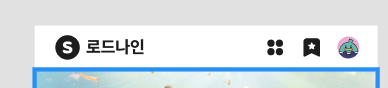 Sets the title to the right of the STOVE logo on mobile screens. | ||
| widget | notification | X | true | true, false | Whether to show notifications. | |
| stoveDownload | X | false | true, false | Whether to show the STOVE installation button. | ||
| languageSelect | X | true | true, false | Whether to show language selection.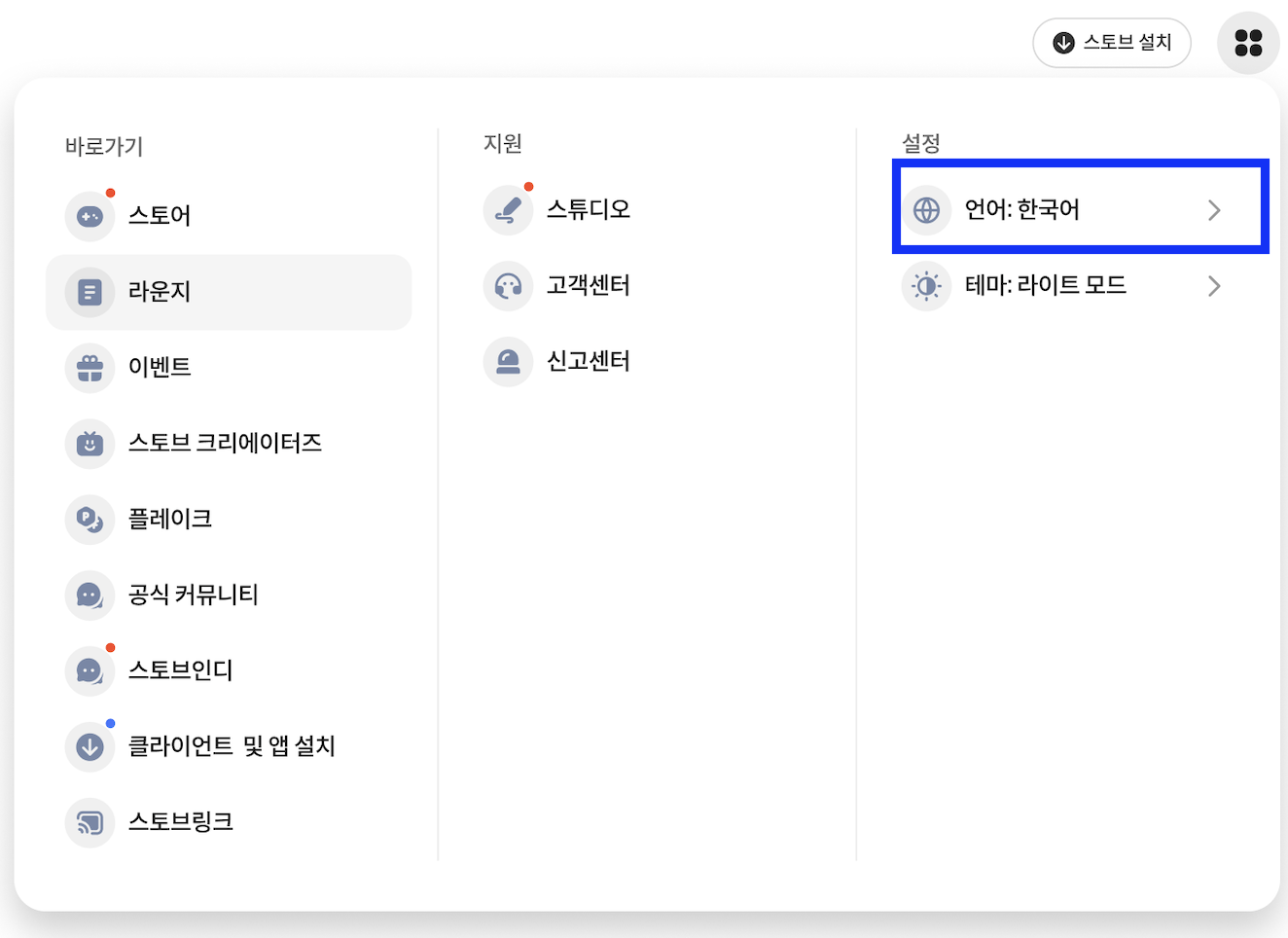 | ||
| themeSelect | X | true | true, false | Whether to show theme mode selection.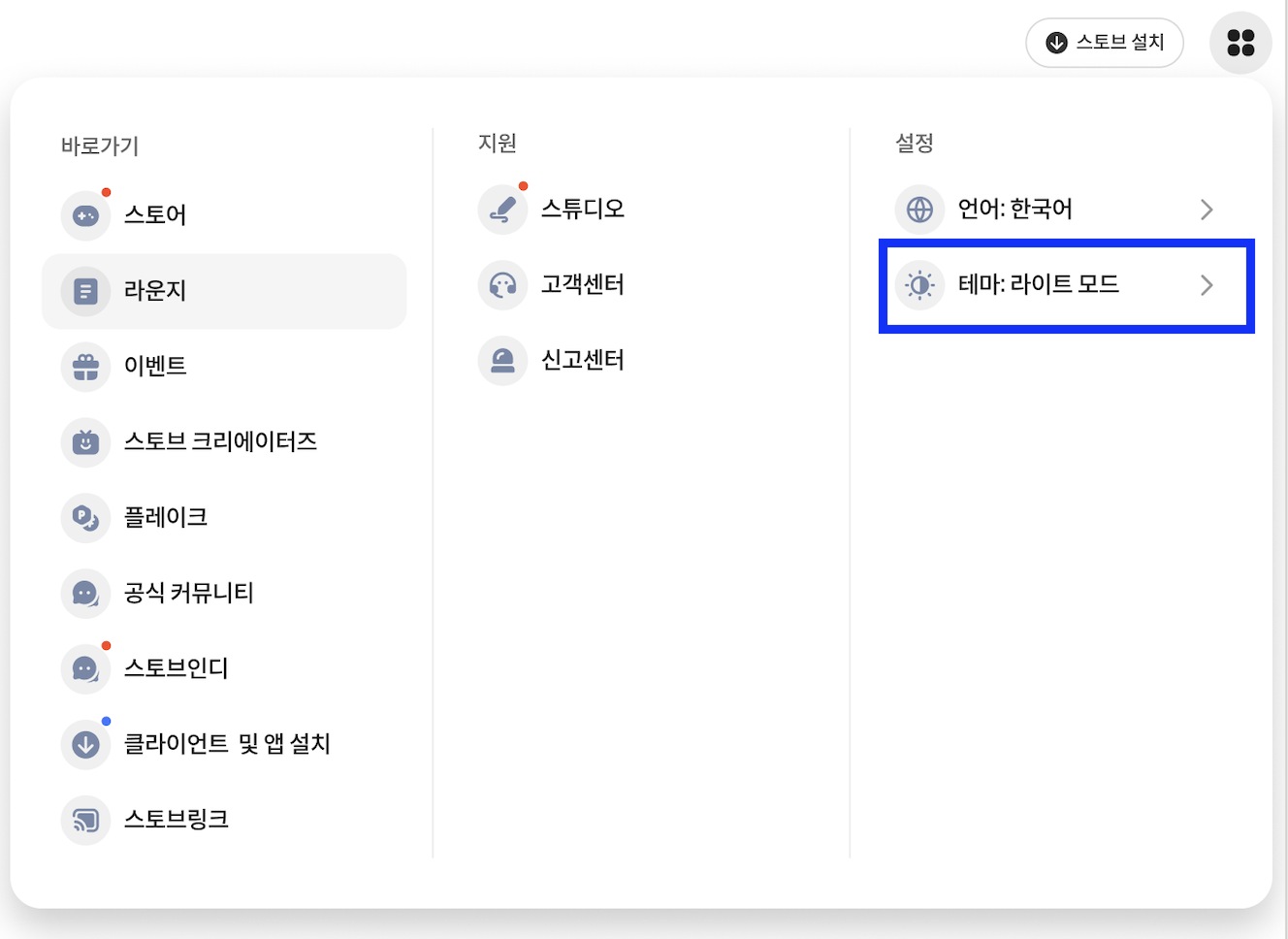 | ||
| stoveMenu | active | X | false | true, false | Whether to show the default menu. | |
| mobile | X | true (Displayed only when stoveMenu.active is true.) | true, false | 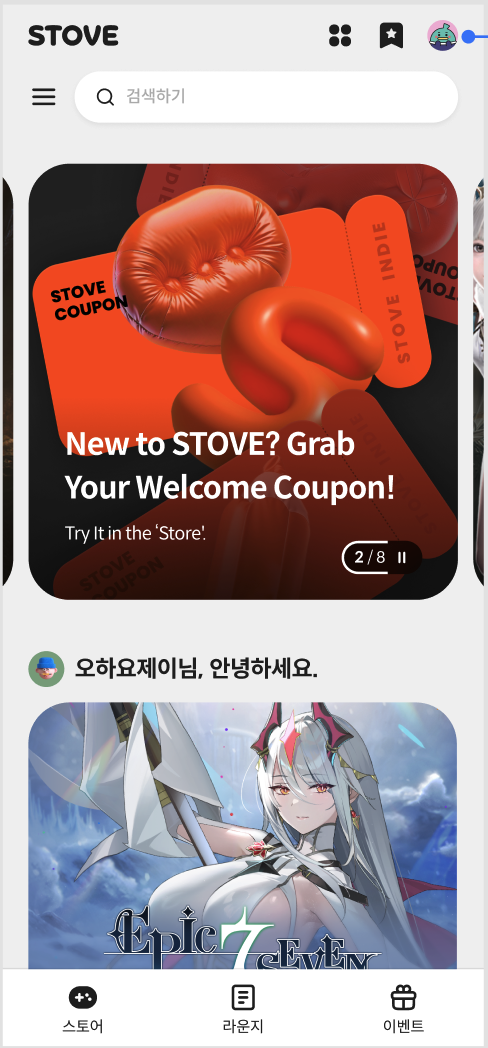 | ||
| global | languageCoverages | X | ['en', 'zh-cn', 'zh-tw', 'ja', 'ko'] | ['th','en', 'zh-cn', 'zh-tw', 'ja', 'ko'] | Configures the supported languages. en: English zh-cn: Chinese zh-tw: Chinese (Taiwan) ja: Japanese ko: Korean th: Thai Only buttons for languages provided in this option are enabled. 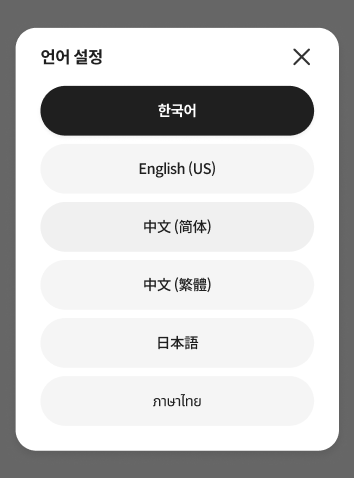 The GNB default language (en) is added automatically if it is absent from this list. | |
| defaultSelectedLanguage | X | 'en' | 'th','en', 'zh-cn', 'zh-tw', 'ja', 'ko' | Default language used when no supported language is found after checking the URL path, cookies, and browser language, in that order. | ||
| customChangeLanguage | X | false | true, false | When true, dispatches a custom event after the language changes. When disabled: updates the language cookie and reloads the page. If useLanguageCodeFromPath is true, changes the URL's language segment to the new language in lowercase and navigates there. When enabled: allows custom behavior after updating the language cookie. The example below shows how to change the language using the event sent by GNB. GNB is designed to reload the page when the language changes. Even with custom handling, the page must reload for the GNB language settings to work correctly. Flow
window.addEventListener(‘GNB’, (event) => { | ||
| loginMethod (Contact the responsible team for details about custom paths and parameters when navigating to login or sign-up.) | redirectCurrentPage | X | true | true, false | Redirects to the previous page after login. When true, returns to the current page. When false, navigates to the default page configured on the account domain (STOVE main page, except for Hope Studio). | |
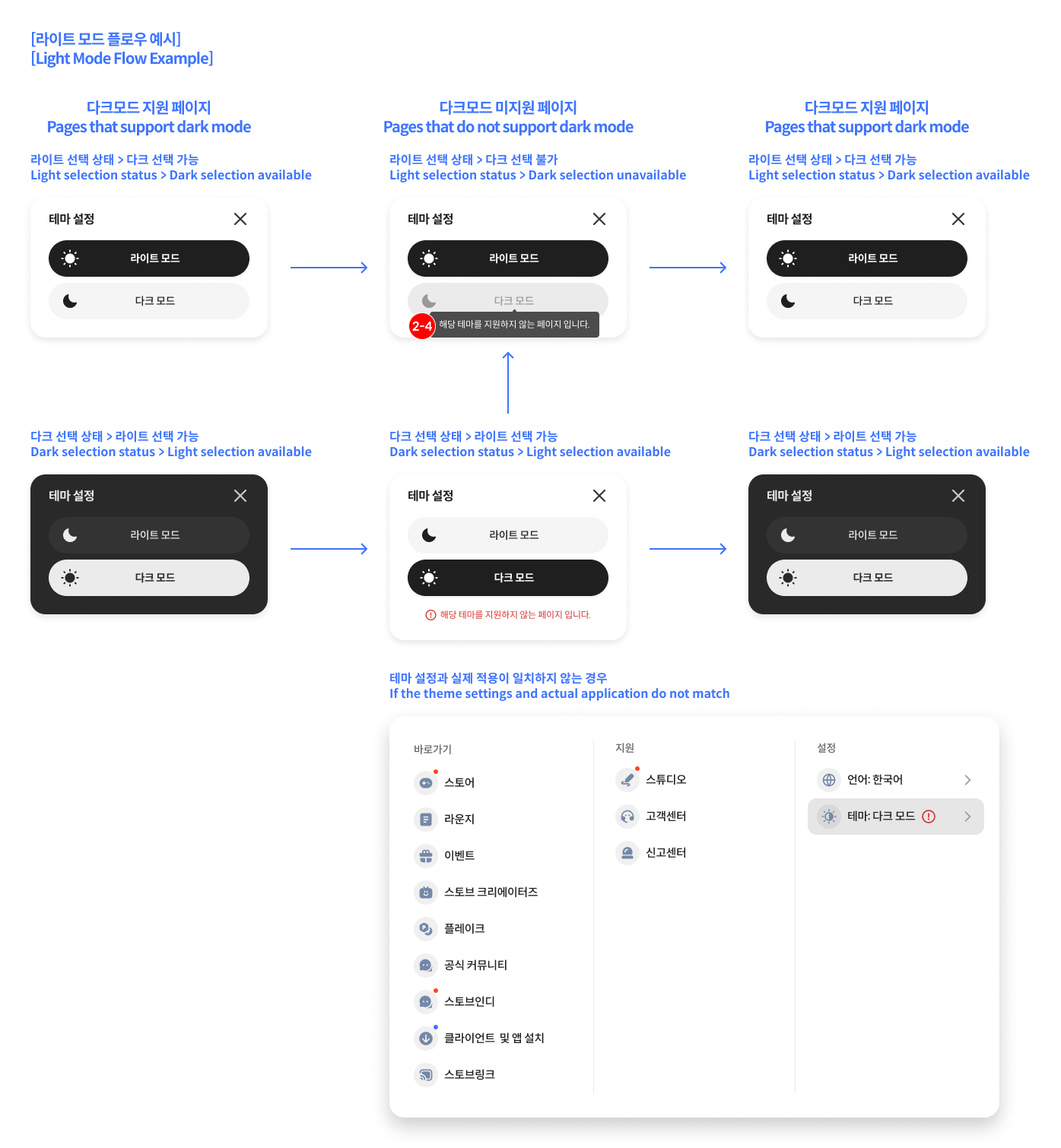
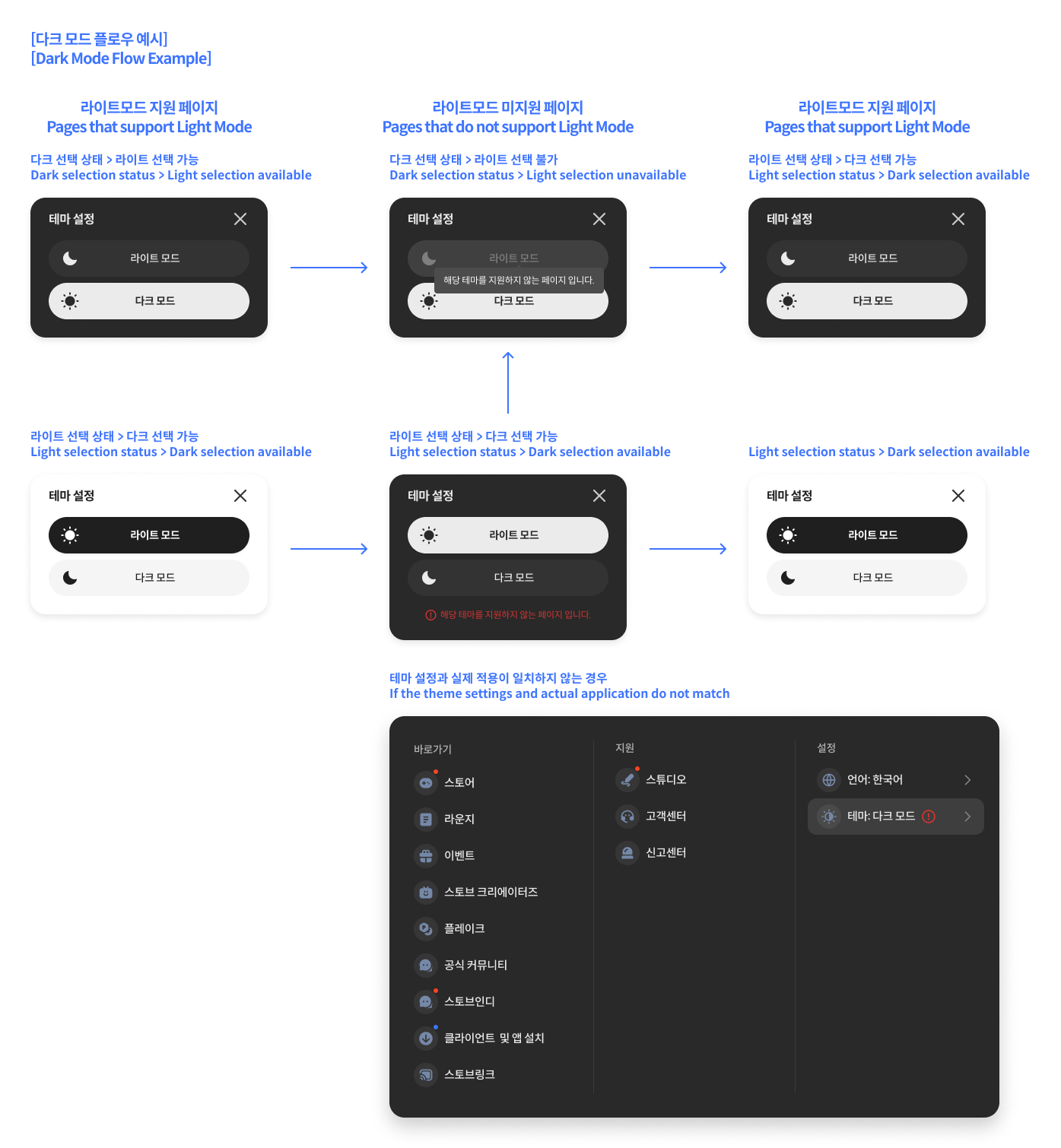
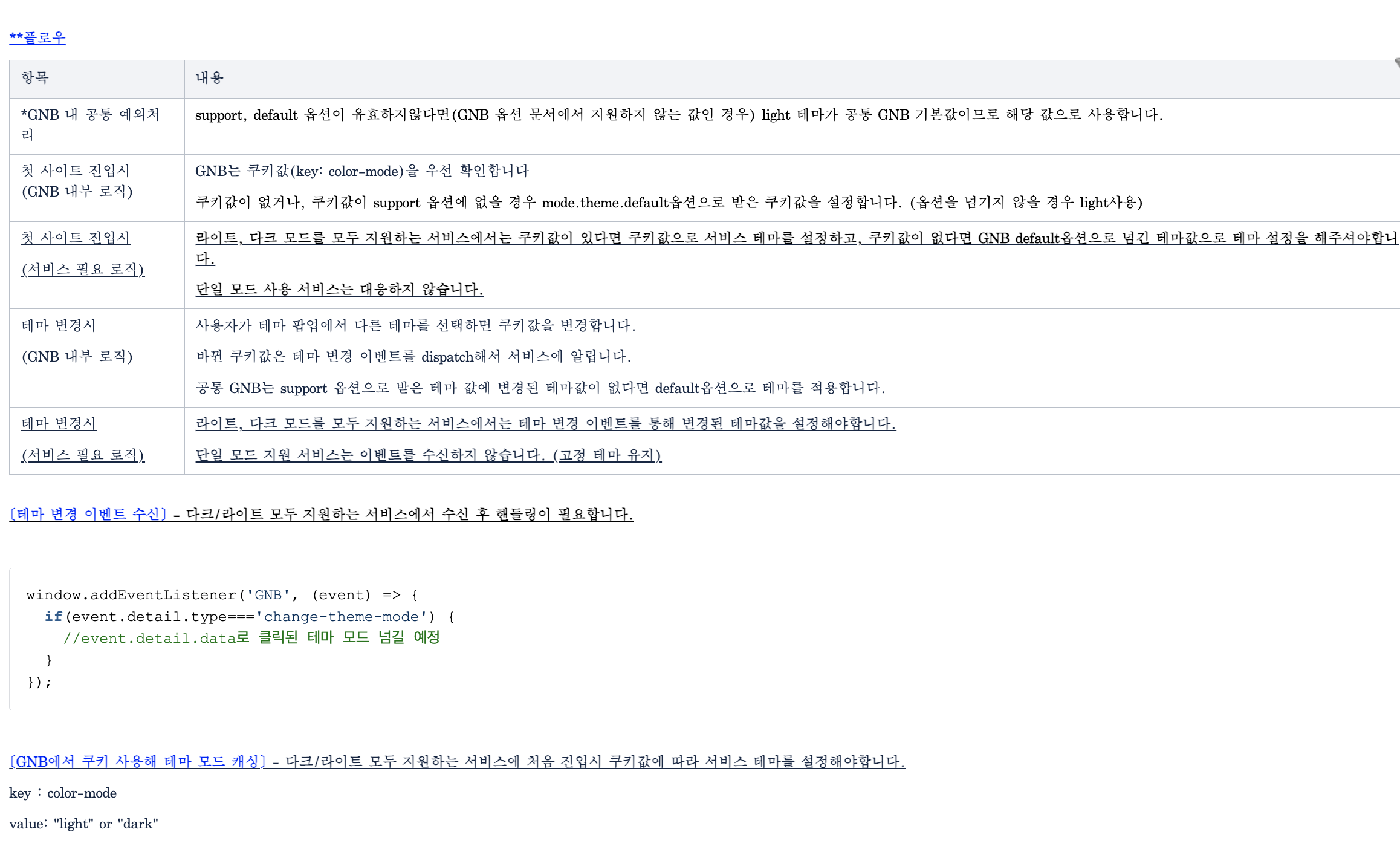
| mode | theme | support | X | ["light"] | Supports "light" and "dark" options. Example when supporting both: ["light", "dark"] | List of themes supported by the service.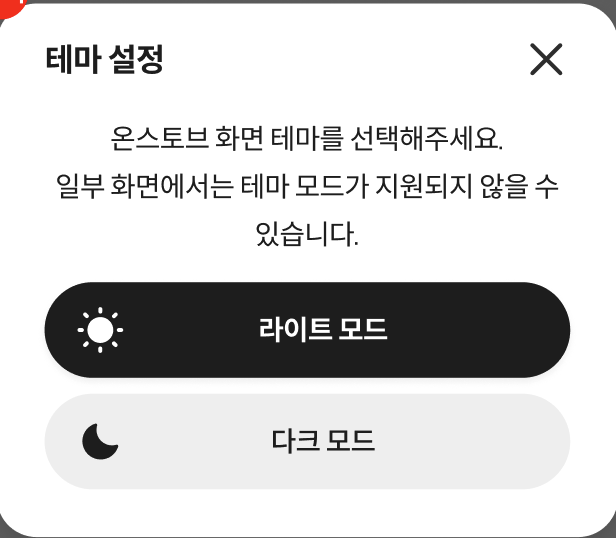 // Example service supporting both dark and light modes:
mode: {
theme: {
support: ["dark", "light"],
default: "dark" // Set the default according to the service design.
}
}
// Example service supporting only dark mode:
mode: {
theme: {
support: ["dark"],
default: "dark"
}
}
// Example service supporting only light mode:
mode: {
theme: {
support: ["light"],
default: "light"
}
} |
| default | X | "light" | Supports "light" or "dark". | Default theme for the service. If there is no theme cookie (the user has not set a theme before), this value is applied initially, saved in a cookie, and applied to GNB. If a theme cookie exists but its value is absent from the service's supported themes (support option), this default is applied to GNB. The cookie is not changed; it retains the value selected in the theme settings popup. | ||
| mini | X | false | true, false | Option for services using the mini version with reduced vertical size. Height: 48px. | ||
| layout | X | "wide" | "wide", "fix" | Whether to use the widget or fixed layout.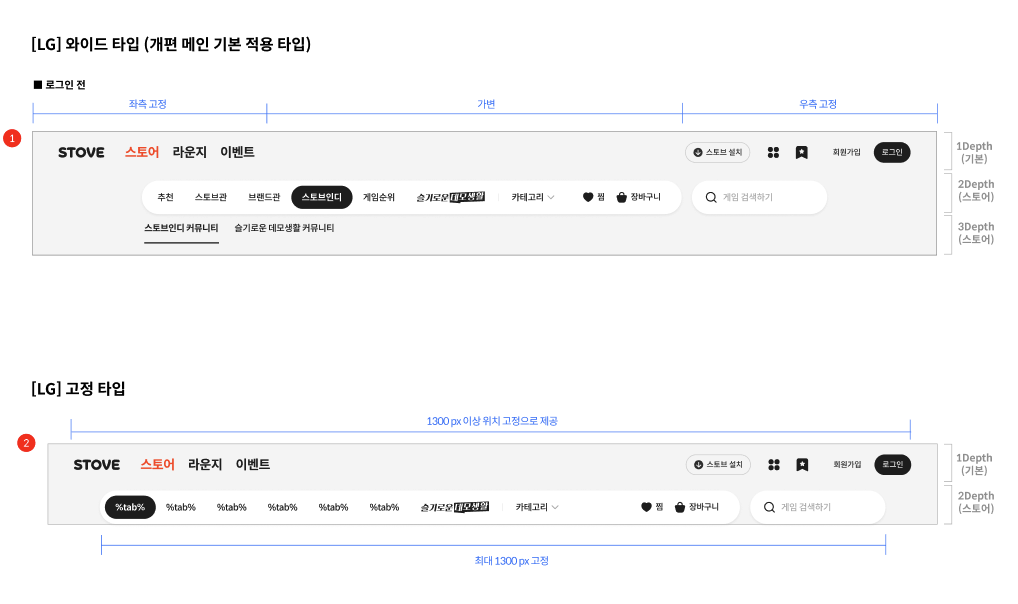 | ||
| fixed | X | true | true, false | Whether to fix GNB to the top. (When enabled, GNB remains at the top while the page scrolls.) | ||
| userMenu | coupon | X | true | true,false | Whether to show the coupon box in User Menu > Service List.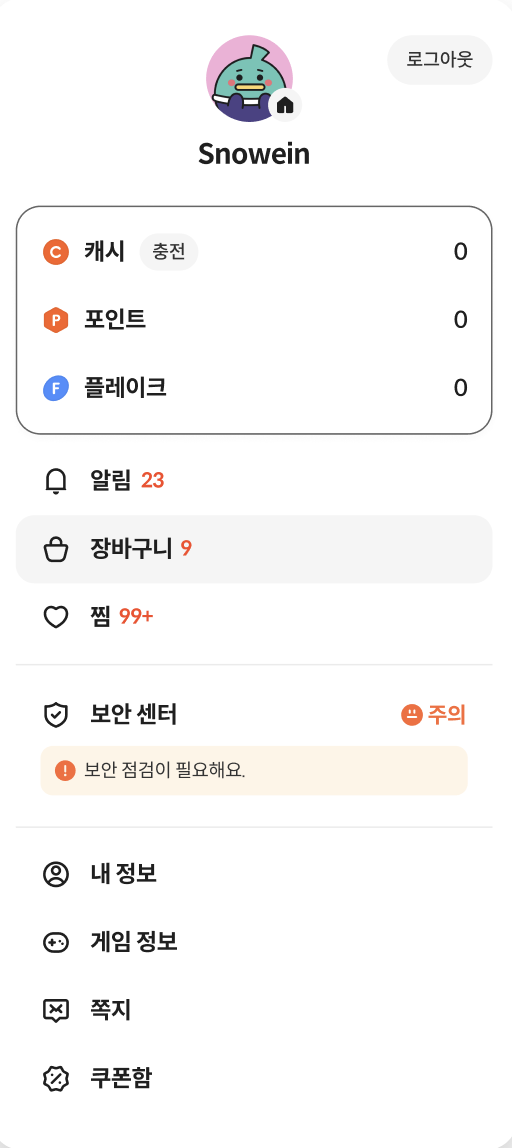 |
Theme Option Details
03. Customizable Areas
You can customize the GNB menu area.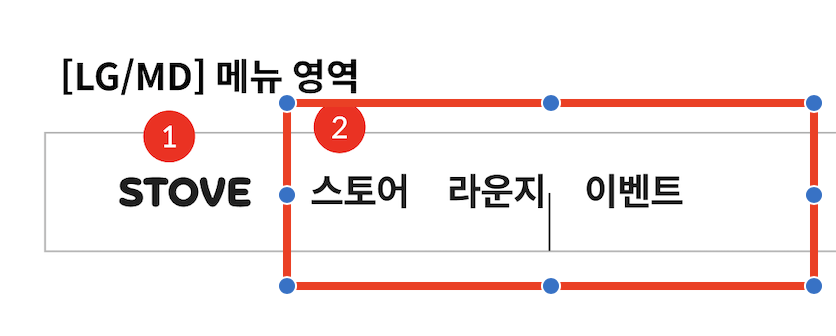
Customize the area shown above within your service instead of using the default menu.
Set widget.stoveMenu.active to false before customizing.
Provided ID selector: customMenuArea.
GNB sends events at mount time.
mounted: emitted when the first-level GNB shell mounts. You can customize the customMenuArea ID.
menu-mounted: emitted when the first-level GNB menu finishes showing its skeleton and becomes visible.
Handle the event appropriate for your service.
Usage:
// Listen for the GNB mounted event before using the custom area.
window.addEventListener('GNB', (event) => {
  if(event.detail.type==='mounted') {// Use 'menu-mounted' to customize at that stage instead.
    const ndepthArea = document.getElementById("customMenuArea")
    // Implement the custom service menu area.
  }
});
Only the custom menu area supports customization. For other service-specific behavior, handle the supplied mount events separately.
04. Changing GNB Options at Runtime
Change GNB settings dynamically at runtime through the gnb object returned by window.StoveGnb.mount().
GNB options can be changed on different pages within the same service.
Only the following options can be changed at runtime. Other options are ignored.
- serviceTitle
- widget.stoveMenu
Usage:
// Change options at runtime through gnb.updateOptions.
const mountedInstance = window.StoveGnb.mount('#stoveGnb', gnbOptions)
mountedInstance.gnb.updateOptions({
    // Currently supports only serviceTitle, widget.stoveMenu, and mode.transparent in gnbOptions.
    serviceTitle: {
        pc: '',
        mobile: ''
    },
    widget: {
        stoveMenu:{
            active: true,
            mobile: true
        }
    }
});
05. Integration Examples
Option Integration Example
<div id="stove-gnb-wrapper"/>
<script defer>
    (function () {
        const script = document.createElement('script');
        script.src = 'https://js-cdn.onstove.com/libs/common-gnb/latest/stove-gnb.js'; // Adjust for your environment.
        script.onload = () => {
            if (window.StoveGnb) {
                window.StoveGnb.mount('#stove-gnb-wrapper', {
                  logArea: 'https://your-domain.example',
                  useLanguageCodeFromPath: true,// Set to false if the URL path does not include a language.
                  serviceTitle: {
                      pc: '',
                      mobile: 'Mobile Service Title',
                  },
                  widget: {
                      stoveMenu: {
                          active: true, // Set to false to disable the STOVE menu.
                          mobile: true
                      },
                  }
              });
            }
        };
        document.body.appendChild(script);
    })();
</script>
Receiving GNB Events
        <div id="stove-gnb-wrapper"/>
        <script defer>
          (function () {
              const script = document.createElement('script');
              script.src = 'https://js-cdn.onstove.com/libs/common-gnb/latest/stove-gnb.js'; // Adjust for your environment.
              script.onload = () => {
                  if (window.StoveGnb) {
                      let instance = null;
                      const gnbEventHandler = (event) => {
                          if(event.detail.type==="mounted"){
                                // Receive mount events.
                          }
                          if(event.detail.type==="change-laungage"){
                                // Receive language change events.
                          }
                          if(event.detail.type==="change-theme-mode"){
                                // Receive theme change events.
                          }
                      };
                      window.removeEventListener('GNB', gnbEventHandler);
                      window.addEventListener('GNB', gnbEventHandler);

                      instance = window.StoveGnb.mount('#stove-gnb-wrapper', {
                          logArea: 'https://www-qa2.onstove.com'
                          // Language and theme change options must be enabled.
                      });
                  }
              };
              document.body.appendChild(script);
          })();
      </script>
Contact Us
If you have any questions, please contact us on Discord or by email at store.support@smilegate.com.